or
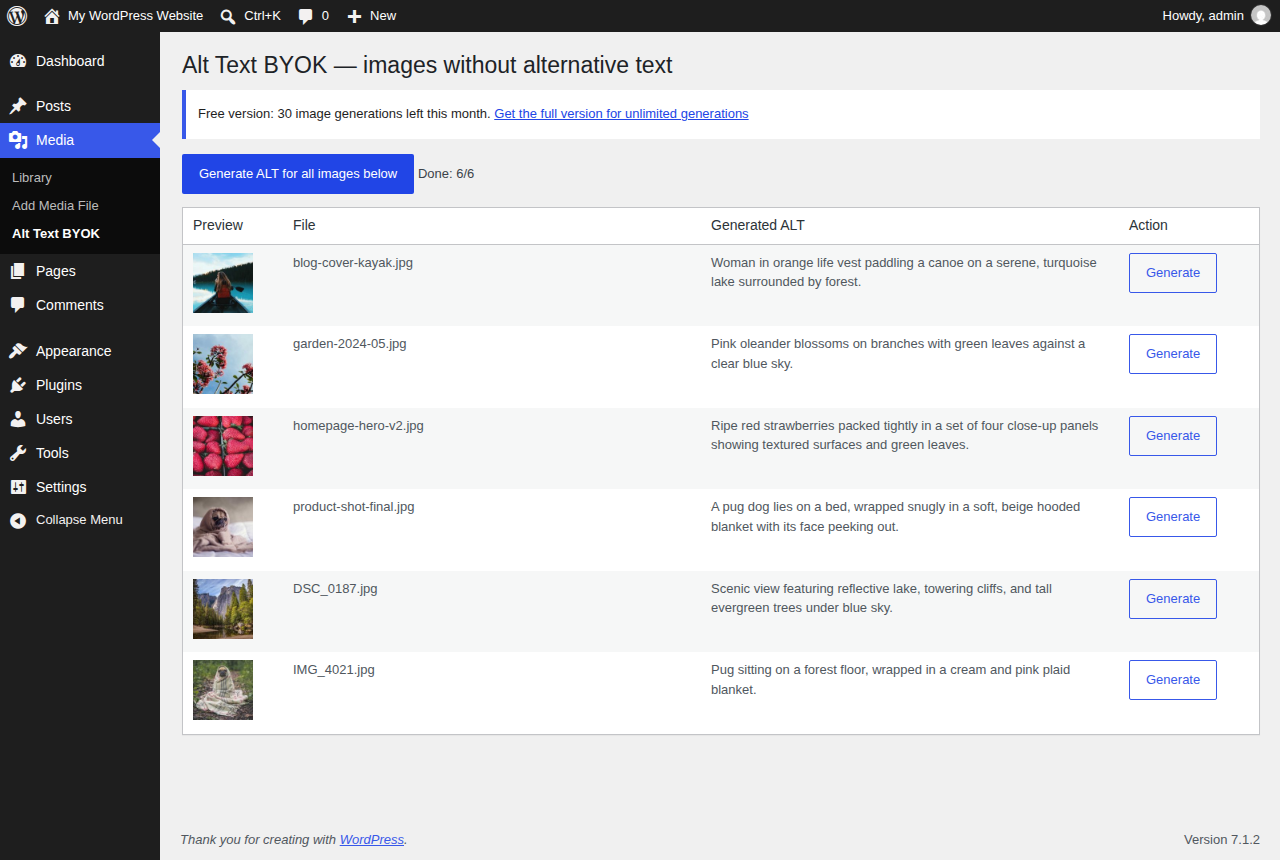
Finds every image in your Media Library that has no ALT text and generates it automatically — one image at a time, or the whole library in one pass. Bring your own AI API key. No subscription, no data routed through us.
🔒 Secure checkout by Stripe, your card details never touch our servers · 7-day money-back guarantee, no questions asked (deus@lumnika.com) · instant download, no account required.
Try it live in your browser a throwaway WordPress with five photos missing ALT text and the free plugin already listing them. Nothing to install, loads in about a minute.
What would a subscription cost you instead? Put in how many images you add:
At 200 new images a month for 12 months: AltText.ai about $228, ImageSEO about €143.88; Alt Text BYOK $24.99 once plus about $1.44 of API calls.
Cheapest monthly plan that covers your images, from the public AltText.ai and ImageSEO pricing pages (September 2026). Backlog, yearly plans and more providers: full alt text cost calculator.
Upload an image or paste its URL and see the kind of ALT text the plugin writes. Free, no signup, 3 images a day.
or
In WordPress the plugin does this for every image in your Media Library — in one pass, with your own AI key, and (full version) automatically for every new upload.
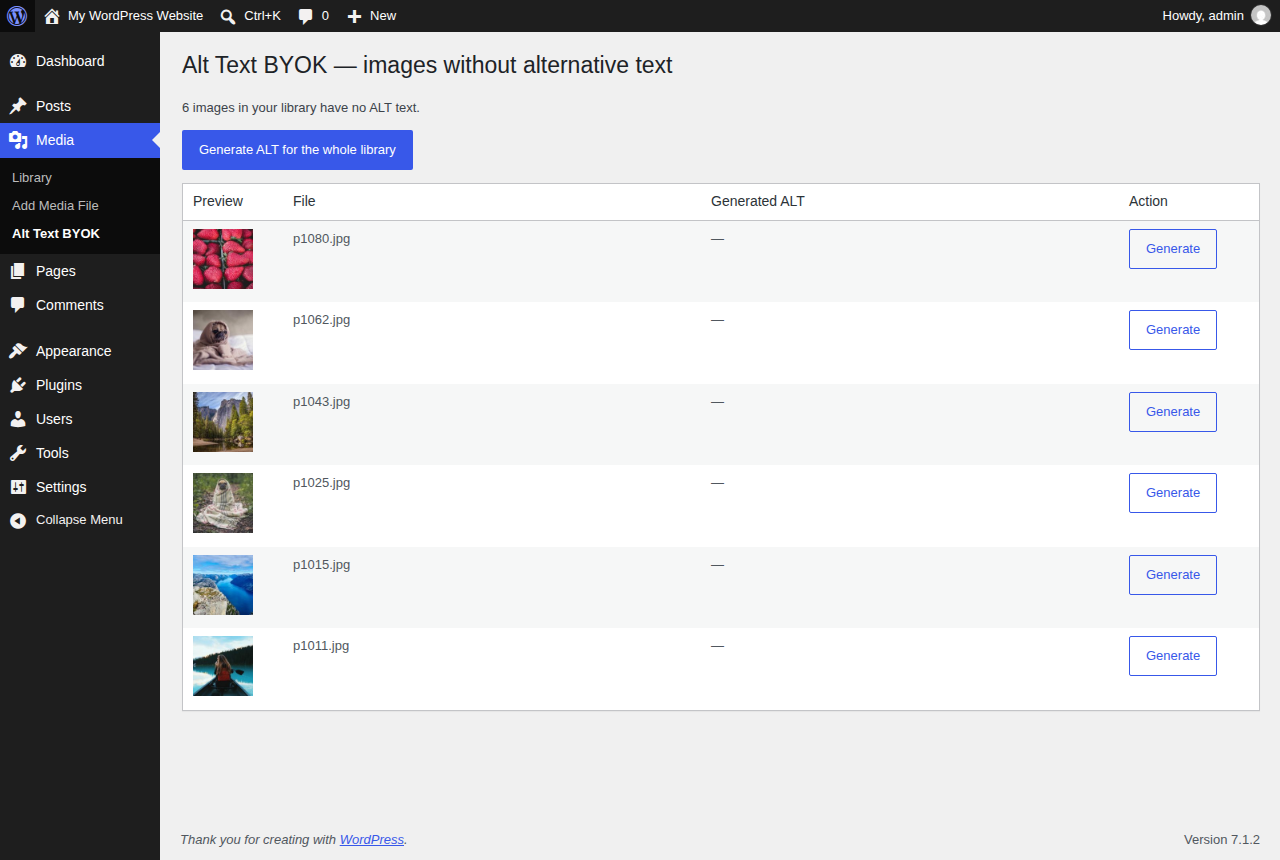
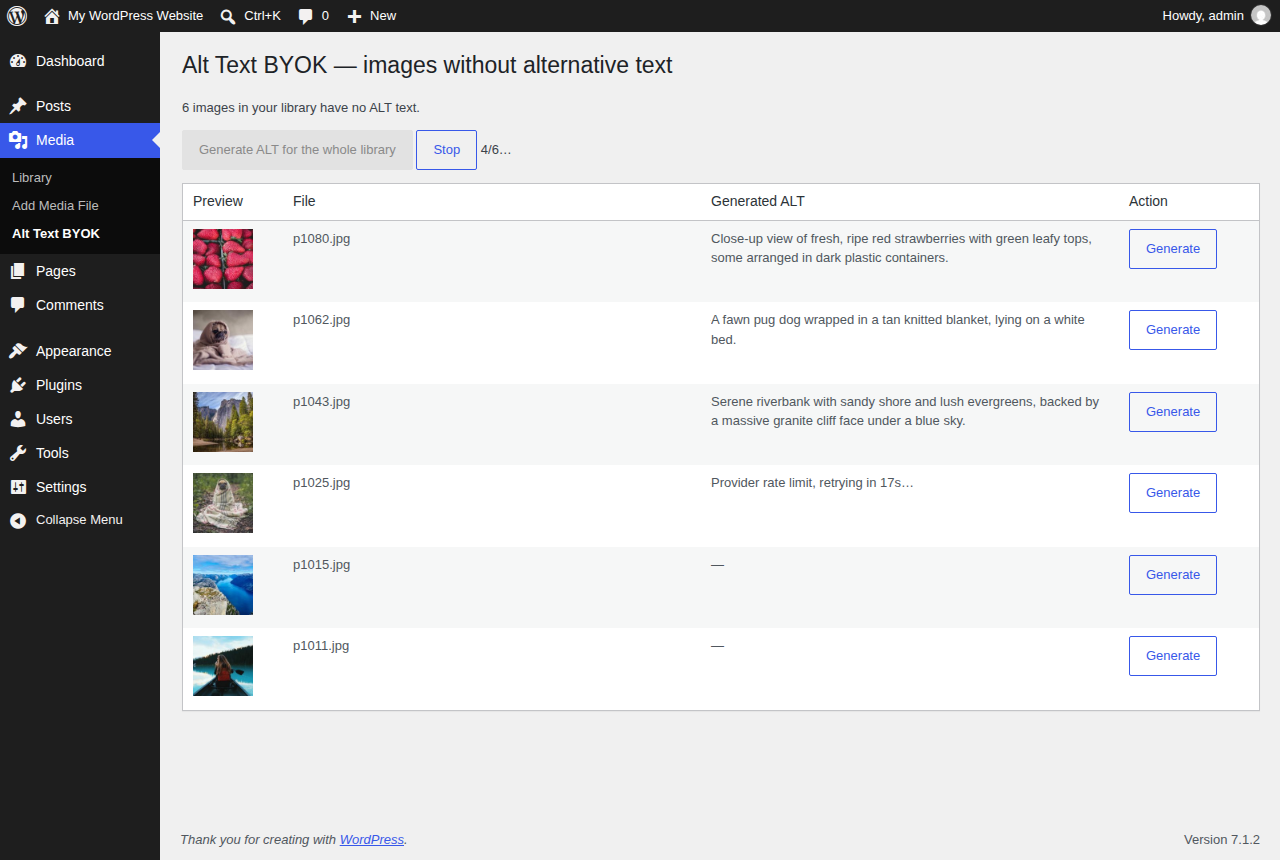
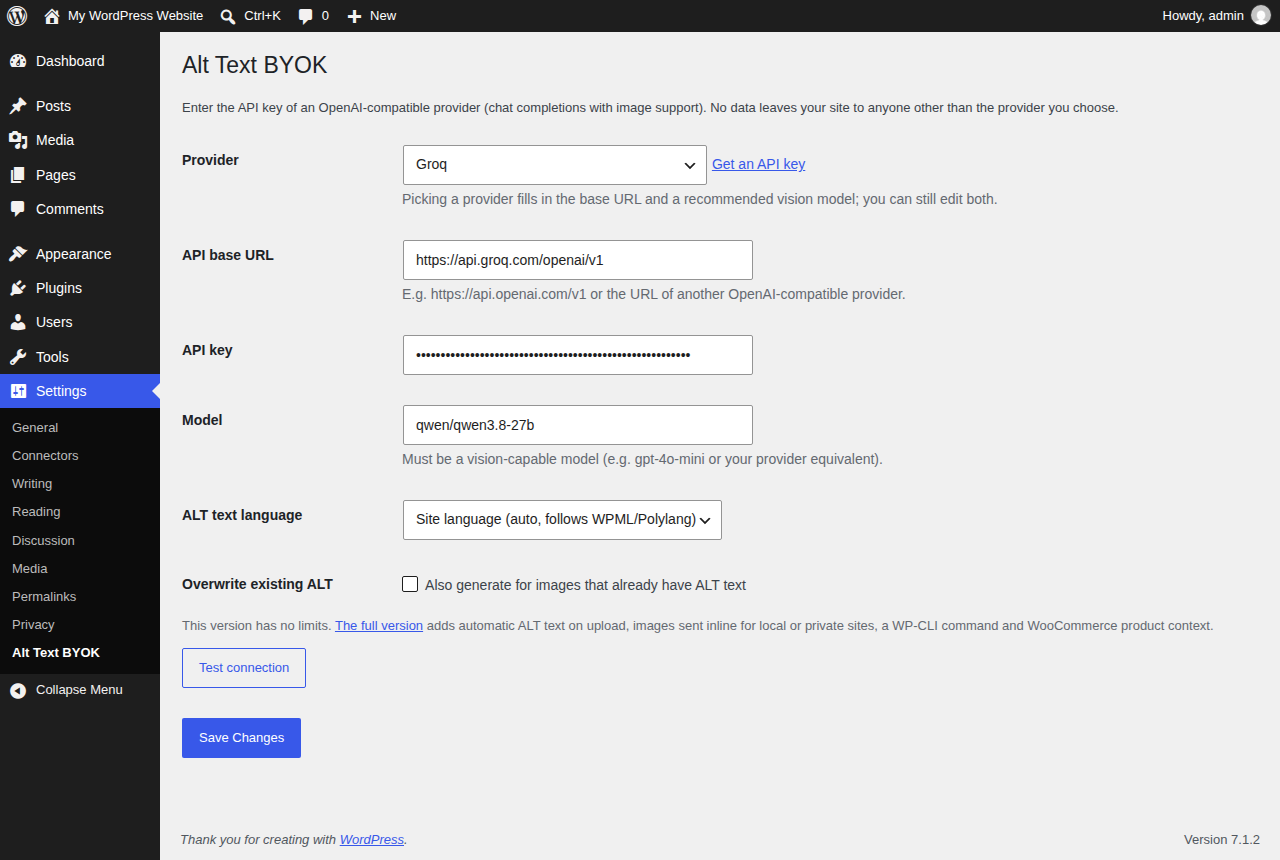
The free version on WordPress.org has no usage limits. The full version is for sites that don't want to come back and click "Generate" every time someone uploads an image.
| Feature | Free | Full ($24.99 once) |
|---|---|---|
| List of images missing ALT, generate one or all in bulk | ✓ | ✓ |
| 7 provider presets, any OpenAI-compatible vision endpoint, your own key | ✓ | ✓ |
| ALT language, WPML / Polylang aware; regenerate with Undo | ✓ | ✓ |
| ALT text written automatically on upload | — | ✓ |
| Background backlog: the whole library in hourly batches, no tab open | — | ✓ |
WP-CLI: wp alt-text generate and wp alt-text sync-content | — | ✓ |
| WooCommerce product name as context | — | ✓ |
| Page title, Yoast / Rank Math focus keyword and file name as context | — | ✓ |
| Local, staging and password-protected sites (images sent inline) | — | ✓ |
| New ALT shown in posts published before the fix | — | ✓ |
| Optional title and caption fill | — | ✓ |
| Updates | WordPress.org | Automatic, via the license key in your download |
With your own key you pay the provider per image, at list price (1024×768 image, short prompt and answer):
Subscription tools charge per image credit: AltText.ai lists $5/month for 100 images and $59/month for 2,000 (prices from their public pricing page, September 2026). Alt Text BYOK is $24.99 once, plus those cents.
Detailed comparison: Alt Text BYOK vs AltText.ai · your own numbers: alt text cost calculator (official prices, dated, with sources).
WordPress site owners and agencies who care about accessibility and SEO but don't want to write ALT text for every image by hand. Missing ALT text is both an accessibility problem (screen readers skip the image) and an SEO problem (Google Image Search has nothing to index).
Not sure how many images you're missing? Scan your site for free: paste your domain, see every image without ALT text and a sample of the text the plugin would write. No install, no login. Just one image? Try the free alt text generator.
wp alt-text generate --limit=500 processes large libraries from the command line, waiting out rate limits on its own.alt="". The full version shows the new ALT in those pages right away, and wp alt-text sync-content writes it into the posts for good (a revision keeps the old version).The free edition (no limits, bulk page only) has the first five: download the free version and try it on your site first. This one-time download adds the other eight.
BYOK (Bring Your Own Key): the plugin ships no API key of its own and does not act as a paid intermediary. No request is sent anywhere until you enter your own API key, and no image data passes through any server belonging to the plugin author — requests go directly from your site to the provider you configured.
The full-version plugin file (alt-text-byok.zip) plus install instructions,
delivered immediately after payment. Your license key is already built into the zip: updates
arrive in the normal WordPress Plugins > Updates screen, with nothing to enter.
Step-by-step with screenshots and API costs: setup guide.
alt-text-byok folder to /wp-content/plugins/.