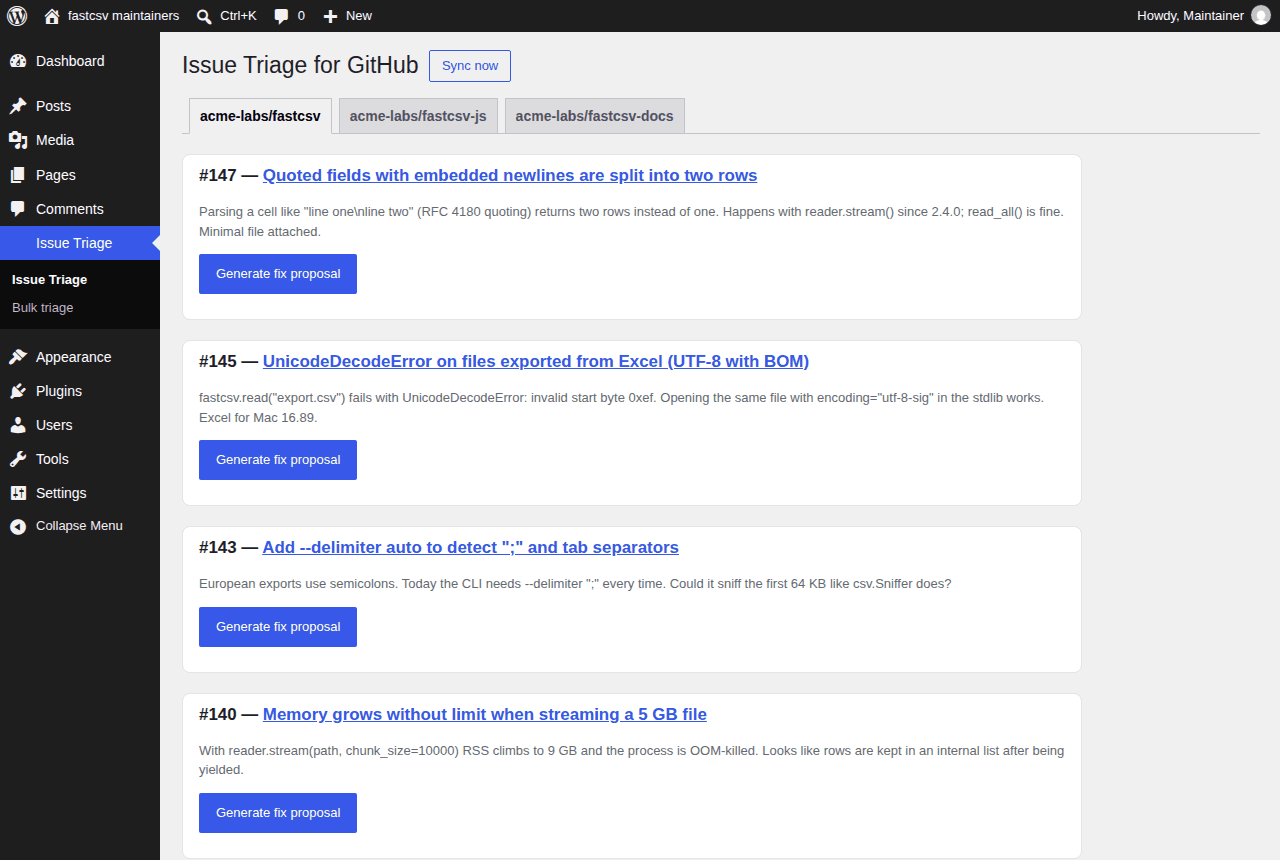
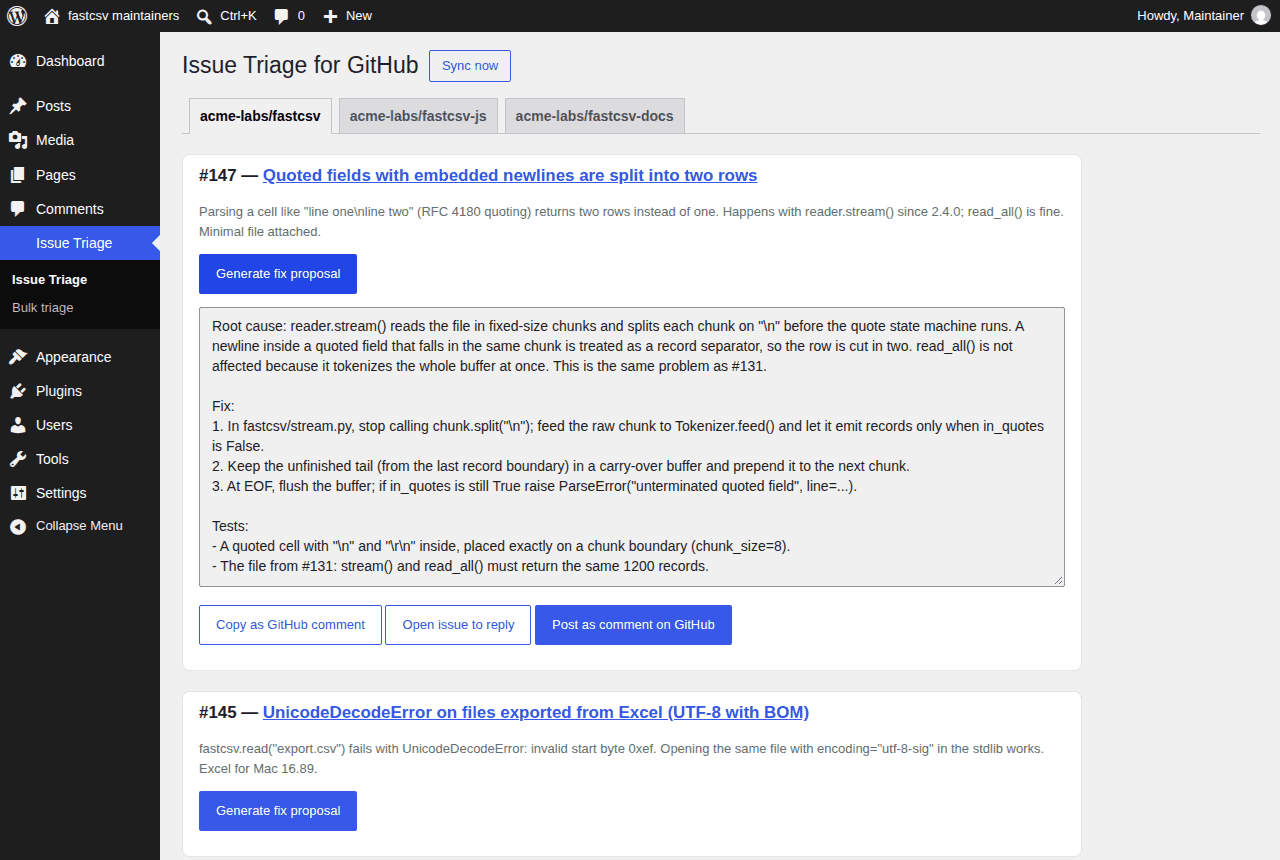
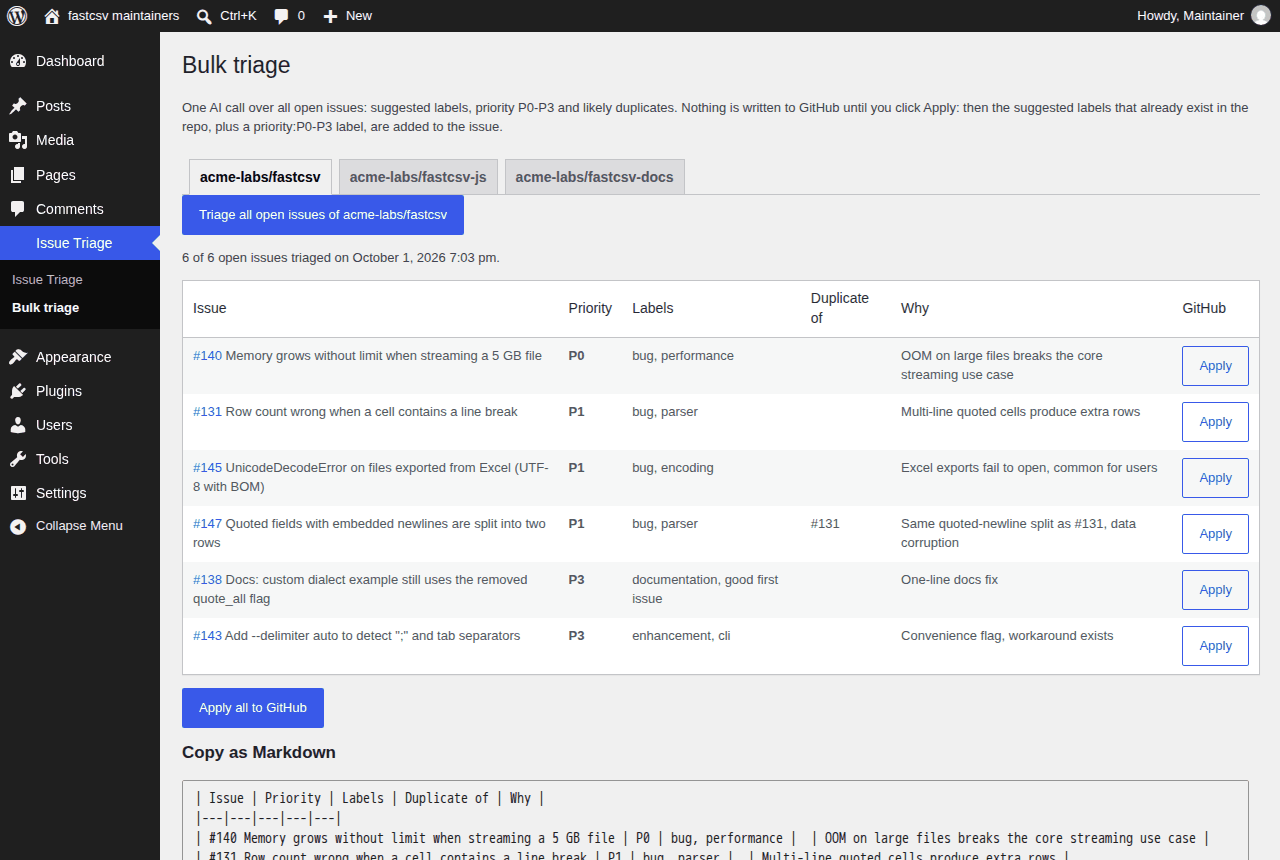
Pulls a GitHub repository's open issues into wp-admin and generates an AI-drafted fix proposal — root cause, step-by-step fix, suggested test — with one click per issue, plus bulk labels, priorities and duplicates across all your repositories. Nothing is written to GitHub unless you click. Bring your own GitHub token and AI API key. No subscription, no data routed through us.
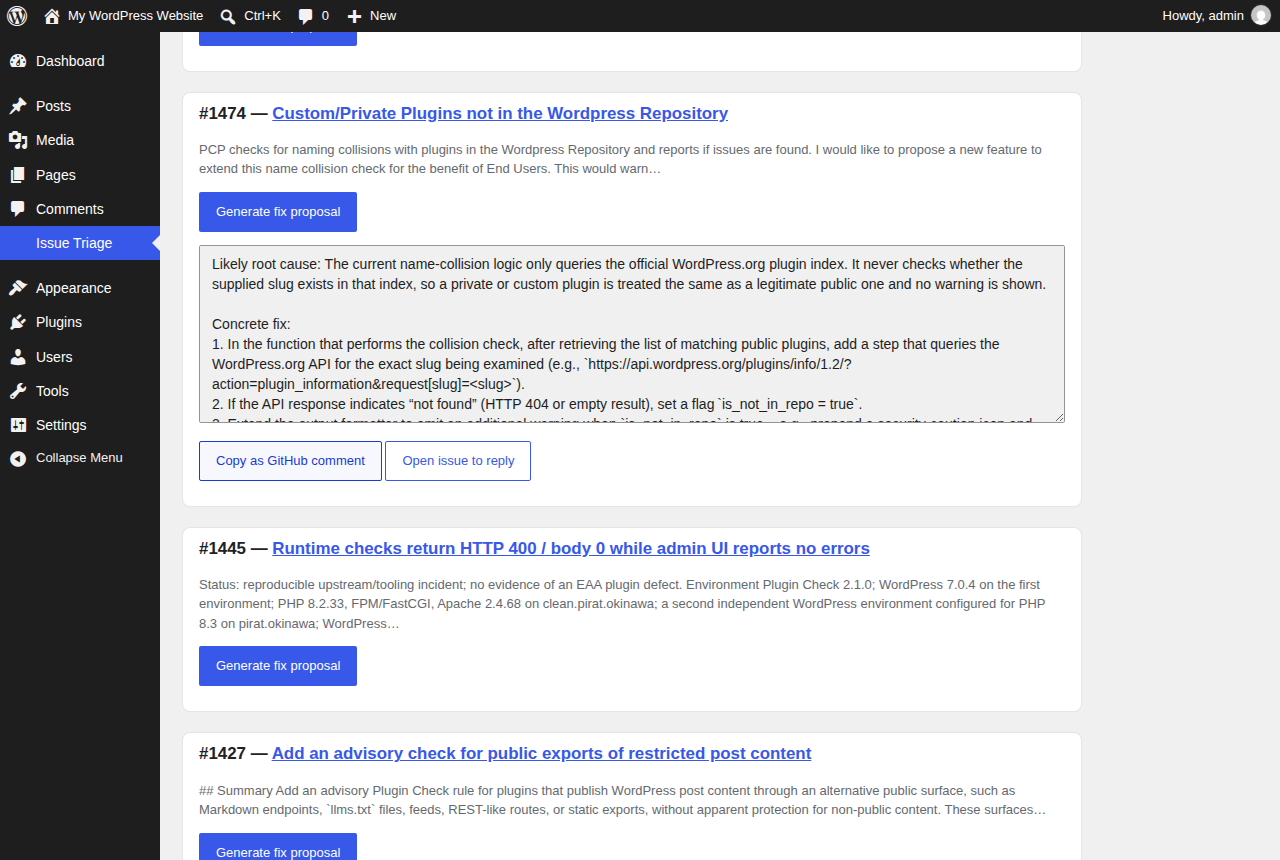
Try it live in your browser a throwaway WordPress with a sample repo and six open issues: click Generate fix proposal and see the result. Sample data, no GitHub token or API key needed; loads in about a minute.
🔒 Secure checkout by Stripe, your card details never touch our servers · 7-day money-back guarantee, no questions asked (deus@lumnika.com) · instant download, no account required.
Running more than one kind of site? All four BYOK plugins for $79: this one plus Alt Text, AI Translate, Bulk Order Notifications for WA, one payment instead of $119.97.
Does it pay for itself? Reading an issue, finding where the bug lives and writing a first answer takes a maintainer 10–20 minutes. Put in your repo's numbers:
At 30 issues a month and 15 minutes each, triage costs you 7.5 hours a month; if a drafted fix saves 40% of that, you get back 3 hours (about $150) and the $27.99 is back in under a week.
The 40% is an assumption, change it. AI cost is yours and small: a fix proposal is one API call, typically under $0.01 on GPT-4o-mini or Gemini Flash (free tiers often cover it).
Maintainers and small teams sitting on a backlog of open issues who want a fast first read on each one — root cause and a candidate fix — without triaging every issue by hand or granting write access to a bot.
BYOK (Bring Your Own Key): the plugin ships no API key of its own and does not act as a paid intermediary. No request is sent anywhere until you enter your own GitHub token and AI API key, and nothing passes through any server belonging to the plugin author.
The plugin file (issue-triage-byok.zip) plus install instructions, delivered
immediately after payment.
issue-triage-byok folder to /wp-content/plugins/.The free version (download it here) is complete for one repository, with no quota and nothing locked. The full version is for maintainers of several repositories who want the triage applied on GitHub, not just read.
| Free | Full | |
|---|---|---|
| Open issues in wp-admin, unlimited AI fix proposals (cause, fix, test) | yes | yes |
| Repositories in the dashboard | 1 | all of yours, one tab each |
Bulk triage: labels, priority:P0–P3, likely duplicates, “Apply all” | — | yes |
| Post the fix proposal as a GitHub comment in one click | — | yes |
| Same settings, drop-in replacement, license key inside the zip (updates in wp-admin, up to 3 sites) | — | yes |
| Price | free | $27.99 once, no subscription |
Use GitHub Actions instead of WordPress? The same triage runs as a GitHub Action: every new issue gets an AI comment with the likely cause, a fix and a test, free with your own AI key.
See the GitHub Action →