Paste your URLs, they go out in one pass to IndexNow, which Bing, Yandex, Seznam and Naver accept for any page of your site, and to Google's Indexing API, which Google supports for job postings and livestream pages. One PHP file, no framework, no subscription.
🔒 Secure checkout by Stripe, your card details never touch our servers · 7-day money-back guarantee, no questions asked (deus@lumnika.com) · instant download, no account required.
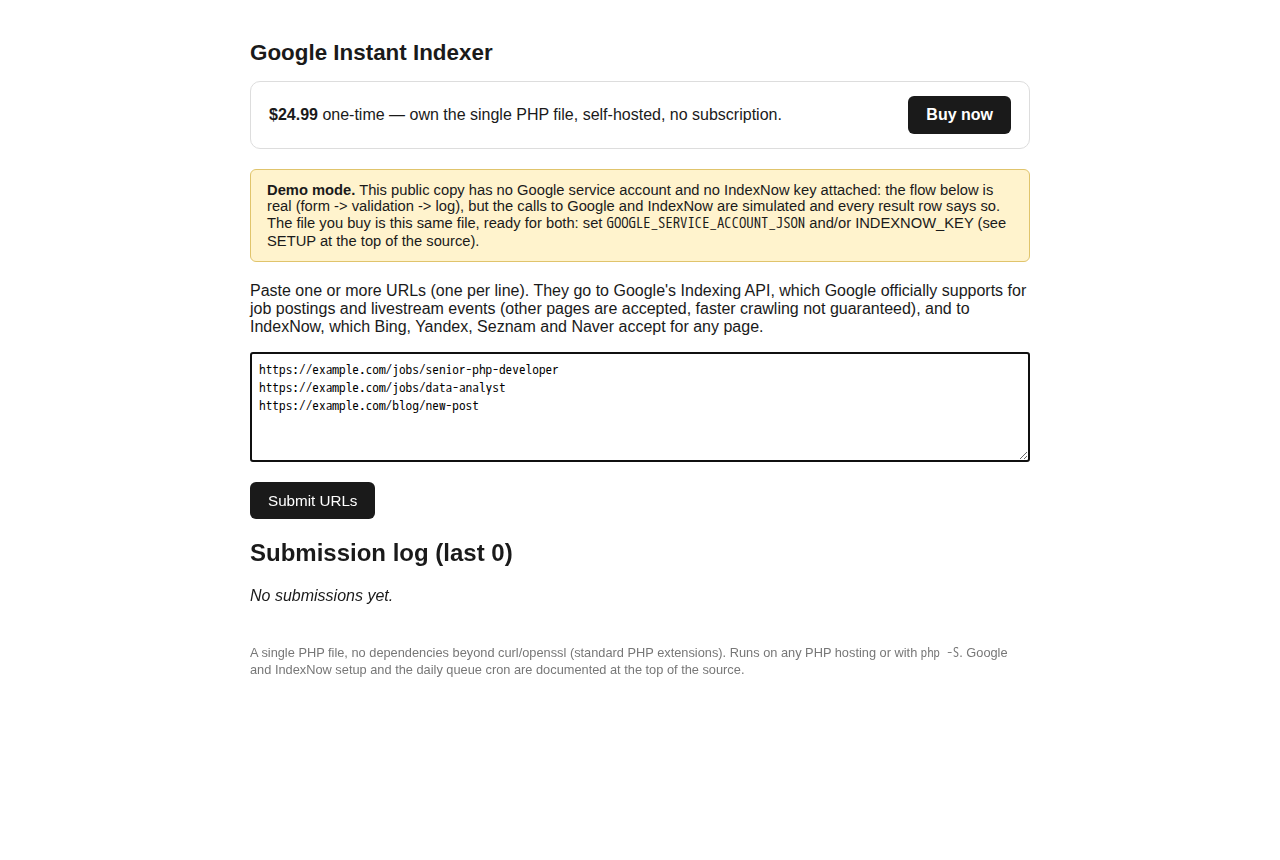
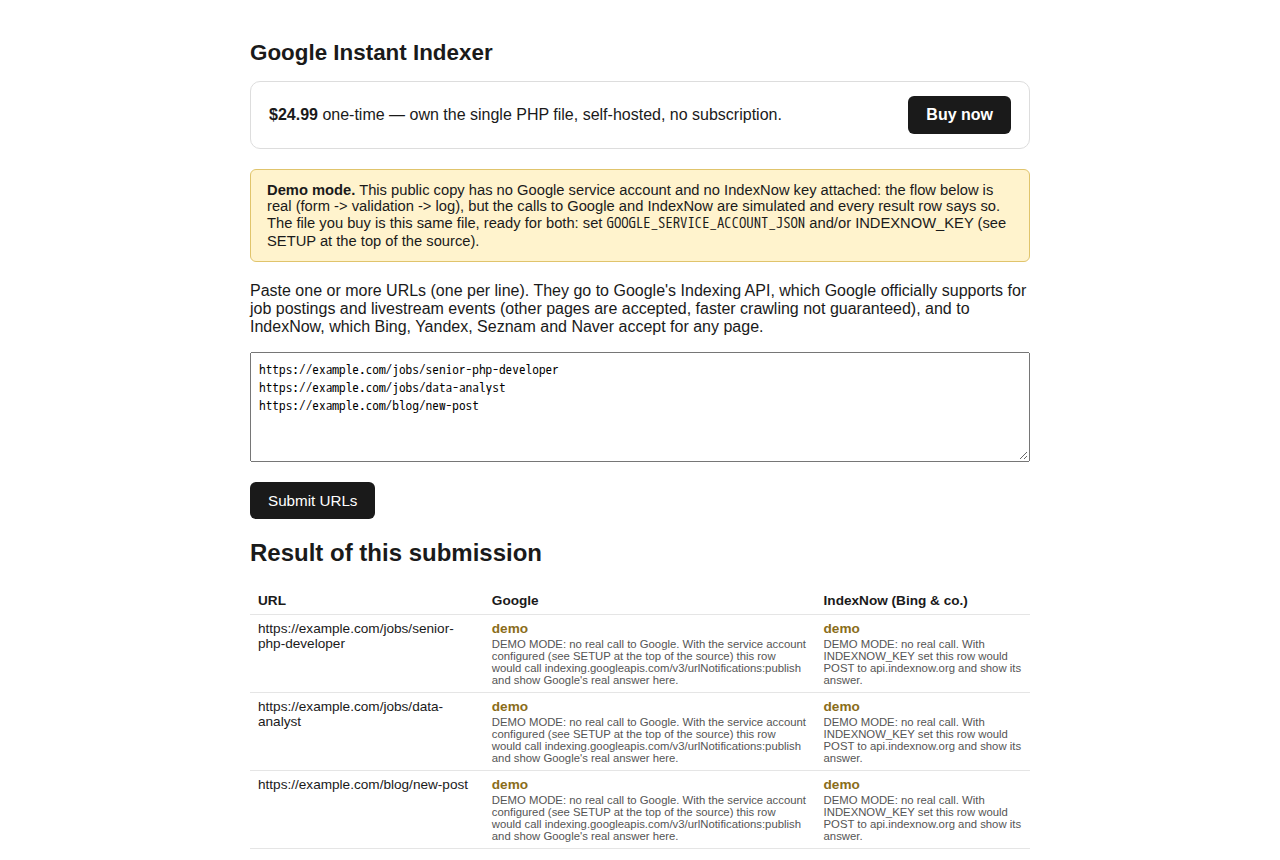
Try the live demo (runs in demonstration mode — the form and log are real, the Google and IndexNow calls are simulated).
Sites that publish pages faster than search engines' normal crawl picks them up. Any site gets
IndexNow (Bing and the engines that share its feed); job boards, career pages and livestream pages
also get Google's Indexing API. It is built for job boards: WordPress boards on WP Job Manager or
WP Job Openings plug in with a free bridge (new job →
URL_UPDATED, expired or deleted job → URL_DELETED), any other CMS calls its
small JSON API. Agencies: one copy per client site (each has its own key, log and quota); the license covers all of them.
Read this before buying: Google officially supports the Indexing API
only for pages with JobPosting or BroadcastEvent (in a
VideoObject) structured data. Submissions for other pages may be ignored, and Google
can revoke API access for misuse. For other pages, use the IndexNow half only (leave the Google
credentials unset): Google itself does not take IndexNow. The 7-day refund covers you if it is not
the right tool.
.xml/.xml.gz) from the page or from cron (php index.php --sitemap https://your-site.com/sitemap.xml).URL_DELETED.php index.php --process-queue).POST index.php?api=1 with a token), plus a ready WordPress bridge for WP Job Manager and WP Job Openings.gi-log.php, closed to web visitors) so you can see everything sent and when.curl, openssl and zlib extensions (standard on almost every host).For IndexNow: just a key you choose, published as a text file at your site root. For the Google Indexing API, which only accepts properties you own:
Google's default quota is 200 URLs/day per Google Cloud project: you can request an increase in Google Cloud Console, or put service accounts from several projects in one folder. Setup takes about 10 minutes if you already have a Google Cloud project. Step by step, including the Search Console owner step that causes most 403s: setup guide.
curl, openssl and zlib extensions. On cPanel check "Select PHP Version" first: PHP 7.4 will not run it.index.php to any PHP host (Apache/Nginx+php-fpm), or run it locally with php -S 0.0.0.0:8080.INDEXNOW_KEY to a key of 8-128 letters, digits or dashes, and publish https://your-site.com/<key>.txt containing just that key.GOOGLE_SERVICE_ACCOUNT_JSON environment variable to the path of your service account JSON file (or GOOGLE_SERVICE_ACCOUNT_JSON_INLINE with the JSON content itself).config.php next to index.php; the setup guide has the template.Each engine works on its own. With neither configured, the script runs in demonstration mode — same flow, no real call — so you can see it working before wiring up credentials.
Pinging search engines about new URLs is not rare. Before paying, check whether a free tool already covers you:
| Tool | Cost | Where it falls short |
|---|---|---|
| Rank Math Instant Indexing | Free | WordPress only, one site per install. |
| IndexNow plugin (Microsoft Bing) | Free | WordPress only, IndexNow only (no Google), pings on publish but no bulk list. |
| Search Console “Request indexing” | Free | One URL at a time by hand, small daily cap, no log. |
| Bing Webmaster Tools URL submission | Free | By hand in the dashboard, one site at a time. |
| This script | $24.99 once | You set up the keys yourself (about 10 minutes); automatic ping on publish needs the WordPress bridge or one API call from your CMS. |
Don't buy it if you run one small WordPress site that publishes a few pages a day: install one of the free plugins above. It is worth it if you run a job board that posts more than one Google quota a day or must pull expired jobs out of Google for Jobs, if your site is not WordPress (static, Laravel, custom PHP, headless), or if you push long lists or whole sitemaps and want a log of what each engine answered, with over-quota URLs queued for the next day instead of lost.
Updates are free for every buyer, with no subscription: the download link in your purchase email always serves the latest version. Current version: 1.3.0 (version.json).
POST index.php?api=1 with a token) used by the free WordPress bridge for WP Job Manager; cron commands --sitemap (skips URLs Google already accepted and not changed since) and --urls, both with --deleted; config.php for hosts without environment variables. Big submissions survive a web timeout (the rest stays queued for the cron), temporary Google errors are queued and retried, the form refuses cross-site requests, log and queue are no longer readable from the web, and the page shows the quota left per service account..xml/.xml.gz) in one go. Tell Google a page is gone with URL_DELETED, so expired job postings leave Google for Jobs. Over 200 URLs a day: put several service accounts in GOOGLE_SERVICE_ACCOUNT_DIR and the next one takes over when one spends its quota (Google's official route is still a quota increase).GI_PASSWORD) and a warning when the page is unprotected. A clear hint when Google answers 403: add the service account as an Owner of your Search Console property.php index.php --process-queue), 429 answers re-queued automatically.api.indexnow.org (with your key), oauth2.googleapis.com and indexing.googleapis.com (with your own service account), directly from your server. Once a day it also fetches a small version file from shop.lumnika.com to tell you when an update is out; set GI_UPDATE_CHECK=0 to turn that off. No URLs, keys or stats are ever sent to us.index.php (settings live in environment variables, the log and queue in their own files, so nothing is lost). The script shows its version in the footer and tells you when a newer one is out.