AI Translate BYOK for WordPress
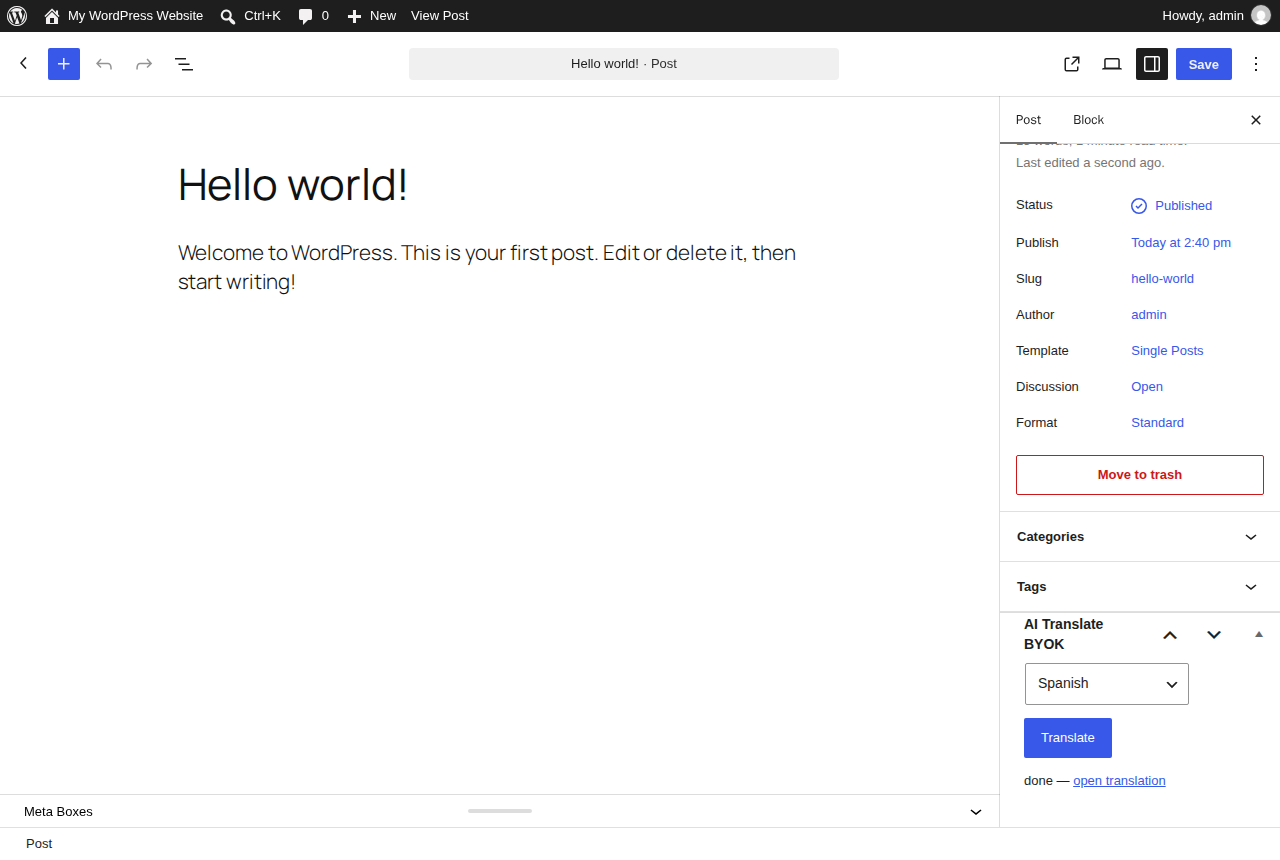
Adds a one-click Translate button to the post editor. Pick a language, and a full
draft translation — title and content, with HTML, shortcodes and Gutenberg blocks preserved —
appears as a draft ready for your review before publishing. Bring your own AI API key.
No subscription, no data routed through us.
$27.99 / €27.99
one-time, no recurring cost · lifetime updates · up to 3 sites (Agency: unlimited)
🔒 Secure checkout by Stripe, your card details never touch our servers · 7-day
money-back guarantee, no questions asked (deus@lumnika.com)
· instant download, no account required.
Running more than one kind of site? All four BYOK plugins for $79 / €79: this one plus Alt Text, Bulk Order Notifications for WA, Issue Triage, one payment instead of $119.97 / €119.97.
The free edition (one post at a time, any language, no limits) is the one-button translator: download the free version and try it on your site first. Just one post to translate? Use the free online AI translator, no install. The full version adds bulk, SEO fields, terms, menus, WooCommerce, Elementor and auto-translate.
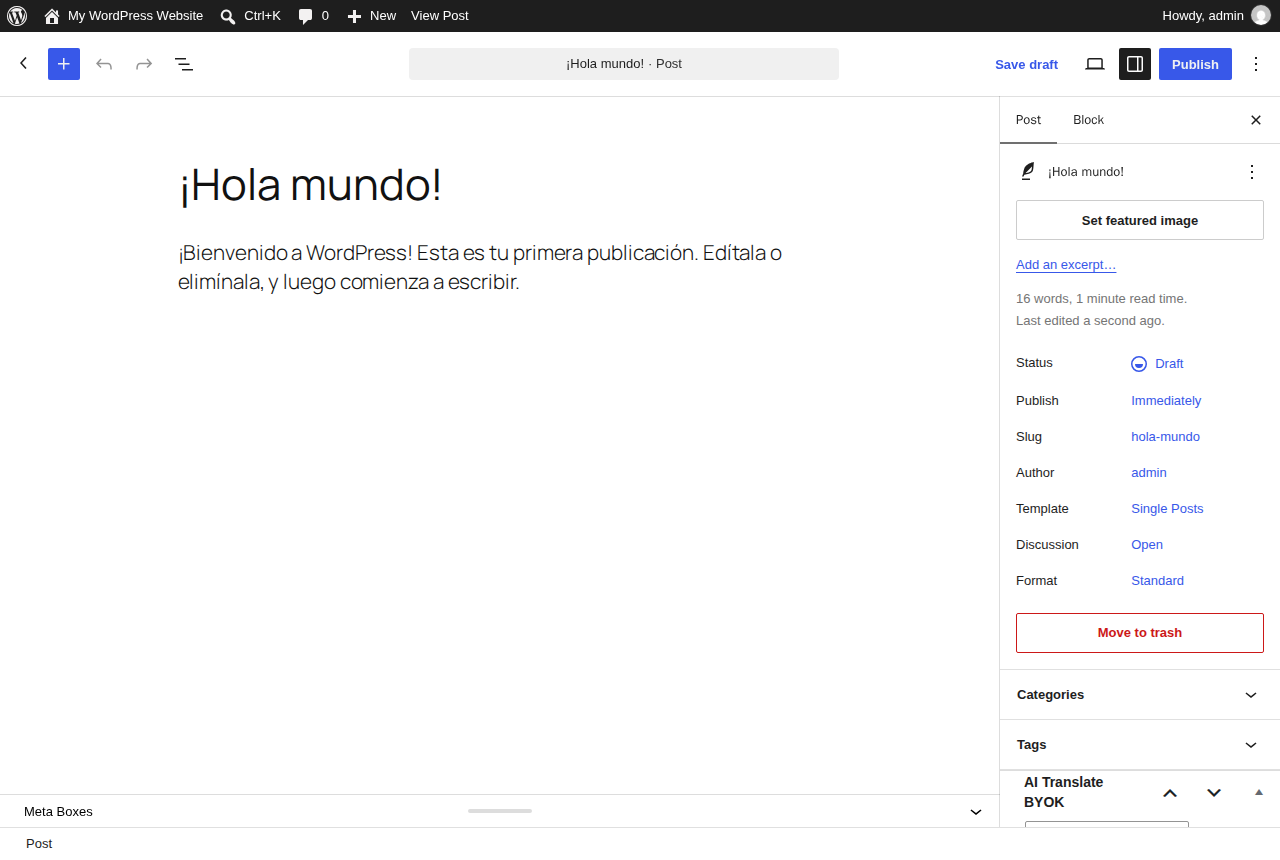
Try it live in your browser a throwaway WordPress with an English post already translated into Spanish, Italian and German as drafts for review, and the free plugin installed. Nothing to install, loads in about a minute.
| Price | Word limit | Your own AI key | Translations live in |
|---|
| AI Translate BYOK | $27.99 / €27.99 once | none | yes | your WordPress posts |
| Weglot | from $170/yr | 10K–5M words/yr | no | Weglot's servers |
| TranslatePress AI | from €99/yr | 50K–500K AI words/yr | no | your database |
| WPML AI | from €99/yr | 22.5K–45K AI words, then credits | no | your database |
Who it's for
WordPress site owners and agencies who publish in one language and want a fast, reviewable
starting point in others — without pasting content in and out of a translation tool by hand, and
without a monthly SaaS translation subscription.
What it does
- A Translate box right in the post editor sidebar.
- Pick a language and get a full draft translation of title and content in one click.
- Preserves HTML markup, shortcodes and Gutenberg blocks — the draft stays structurally intact.
- Every translation lands as a new draft post for human review before it goes live.
- Built-in shortlist of high-demand languages (Arabic, Hindi, Chinese, Khmer, Swahili) plus any language by name.
- Calls any text-capable AI endpoint compatible with the OpenAI chat completions API — OpenAI itself, or any compatible provider, including providers with free tiers. On WordPress 7.0+ it can also use the AI already connected in Settings > Connectors, with no key to paste.
What the full version adds
The one-button translator is free (download it here). The full version is for sites that translate
a whole catalogue, not one post at a time:
- Bulk translation: select any number of posts or pages in the list, choose
Translate with AI, and they are translated into all your chosen languages in the
background — no page left open, no timeouts.
- SEO fields translated too: Yoast SEO and Rank Math titles, meta descriptions
and focus keywords, plus the excerpt, so the translated page ranks in its own language.
- Categories and tags translated once and reused, assigned to every translated post.
- Outdated translations flagged and refreshed: edit the original and its
translations are marked Outdated; re-translate them in place (one, a selection, or all)
without losing their URL.
- Translations kept in sync automatically (optional): update the original and its
outdated translations are re-translated in place in the background; ones you edited by hand are left
for your review. The settings show the estimated cost per update.
- Polylang and WPML linking: if either is active, each translation (and each
translated term) is registered as the translation of its source, so language switchers just work.
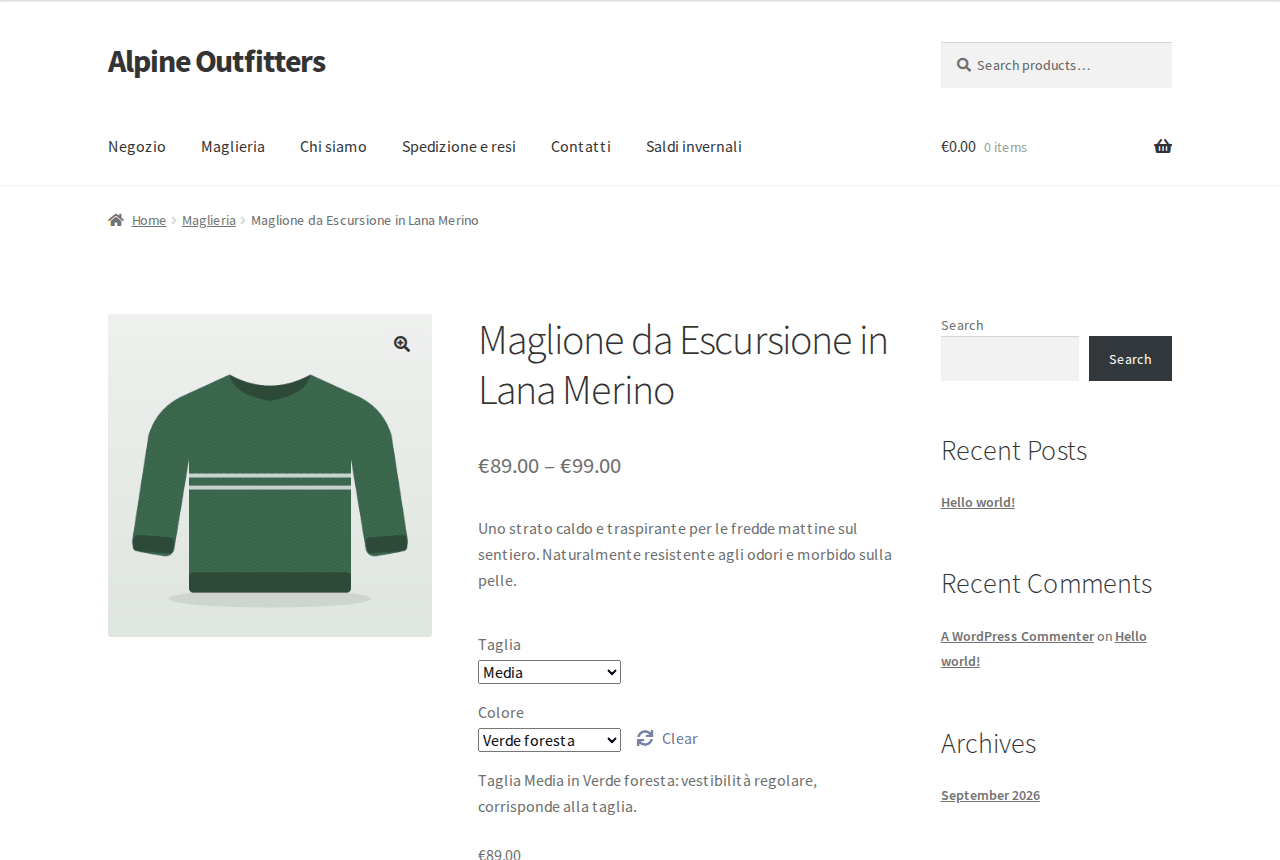
- WooCommerce products: variations are recreated under the translation with
price, SKU, stock and image; attributes and purchase note translated; up-sells and cross-sells point
to translated products; stock stays in sync across every language.
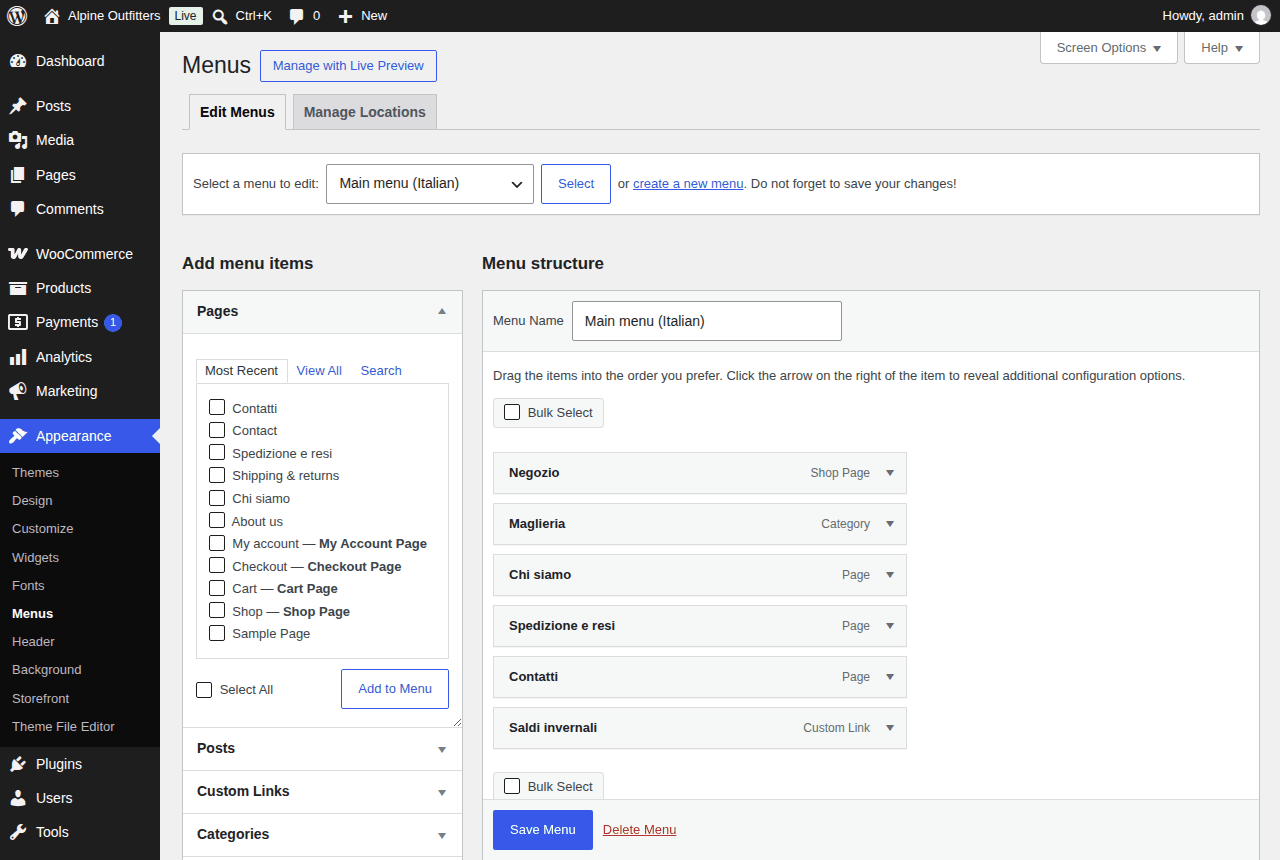
- Translated menus: copy a navigation menu into a language from Appearance > Menus
(labels translated, links to translated pages), and each translated page shows the menu of its language.
- Per-language URLs without Polylang or WPML: translations live at
/de/your-post/, the old address redirects (301), <html lang> and hreflang follow,
and each language gets its own sitemap in the WordPress sitemap.
- Elementor pages: headings, text, buttons and tabs translated in the same click,
with layout, styles and page template kept.
- Automatic translation on publish, with a glossary of brand names
and terms to keep or translate your way.
BYOK (Bring Your Own Key): the plugin ships no API key of its own and does not act
as a paid intermediary. No request is sent anywhere until you enter your own API key, and no post
content passes through any server belonging to the plugin author — requests go directly from your
site to the provider you configured.
What you get
The full-version plugin file (ai-translate-byok.zip) plus install instructions,
delivered immediately after payment. It replaces the free version in place, same settings. Your
license key is already built into the zip: lifetime updates arrive in the normal WordPress
Plugins > Updates screen, with nothing to enter. One license covers up to 3 of your own sites (Agency: unlimited).
Installation
Step-by-step with screenshots and API costs: setup guide.
- Upload the
ai-translate-byok folder to /wp-content/plugins/.
- Activate the plugin from the WordPress Plugins menu.
- Go to Settings > AI Translate and enter your API key (and, if you're not using OpenAI, your provider's API base URL and model name).
- Open any post, pick a target language and click Translate — a draft translation appears for review.
FAQ
- Do I need an OpenAI key specifically?
- No. Any endpoint compatible with the OpenAI chat completions API works — just change the API base URL and model in the settings.
- Does the plugin publish the translation automatically?
- No. Every translation lands as a draft for you to review and edit before publishing.
- Does the plugin send my content to a server of its own?
- No. Requests go directly from your site to the API provider you configured yourself.
- Is there a free version?
- Yes: the single-post translator, unlimited, with every language. The full version adds bulk translation, SEO and category translation and Polylang/WPML linking.
- Is this a subscription?
- No. $27.99 / €27.99 once, lifetime updates included, on up to 3 of your sites (the Agency license covers unlimited sites). You only pay your AI provider directly, and only if their free tier doesn't cover your usage.
- What does the AI cost per 1,000 words?
- About $0.002 with OpenAI gpt-4o-mini and about $0.01 with Claude Haiku (roughly 1,400 tokens in and 1,600 out, at list prices). A 100-post blog of 1,000-word articles into three languages costs a few dollars once.
- How is this different from Weglot?
- Weglot is a monthly subscription priced by word count and language, and your translations are served from its servers: stop paying and they go away. Here you pay once, translations are ordinary WordPress posts you own and can edit, and the AI cost is what your provider charges, with no markup.
- Is it maintained?
- Yes: every release is listed in the public changelog, and updates arrive in your WordPress dashboard with your key.
- What if it doesn't work for me?
- Email deus@lumnika.com within 7 days of purchase for a full refund, no questions asked.
How much would Weglot, WPML or TranslatePress cost for your site instead? Try the free WordPress translation cost calculator.
Buy now — $27.99 / €27.99
Terms · Privacy · Refunds (7-day money-back) · Contact