Sends WhatsApp Business notifications automatically when a WooCommerce order changes status, and lets you bulk-send a message to a pasted list of numbers on demand. Bring your own Meta WhatsApp Business Cloud API credentials. No subscription, no data routed through us.

Try it live in your browser a throwaway WordPress + WooCommerce with sample orders (one cash on delivery) and the free plugin already set up. Nothing to install, loads in about a minute.
Want to try it first? Download the free version: order-status notifications, bulk send to a pasted list, send log, template manager, opt-in and STOP handling, no sending cap. The full version adds the rows marked below.
🔒 Secure checkout by Stripe, your card details never touch our servers · 7-day money-back guarantee, no questions asked (deus@lumnika.com) · instant download, no account required.
Running more than one kind of site? All four BYOK plugins for $79 / €79: this one plus Alt Text, AI Translate, Issue Triage, one payment instead of $119.97 / €119.97.
WooCommerce store owners and agencies who already run — or are ready to set up — a Meta WhatsApp Business Cloud API account and want order updates and bulk announcements to reach customers on WhatsApp instead of getting lost in email.
BYOK (Bring Your Own Key): the plugin ships no WhatsApp credentials of its own and
is not a paid intermediary. Every message is sent directly from your site to
graph.facebook.com using the Phone Number ID and Access Token you enter — no message
data passes through any server belonging to the plugin author.
| Free | Full ($39 / €39 once) | |
|---|---|---|
| WhatsApp message on every WooCommerce order status change | ✓ | ✓ |
| Order data in templates: total, products, tracking number, view-order link | ✓ | ✓ |
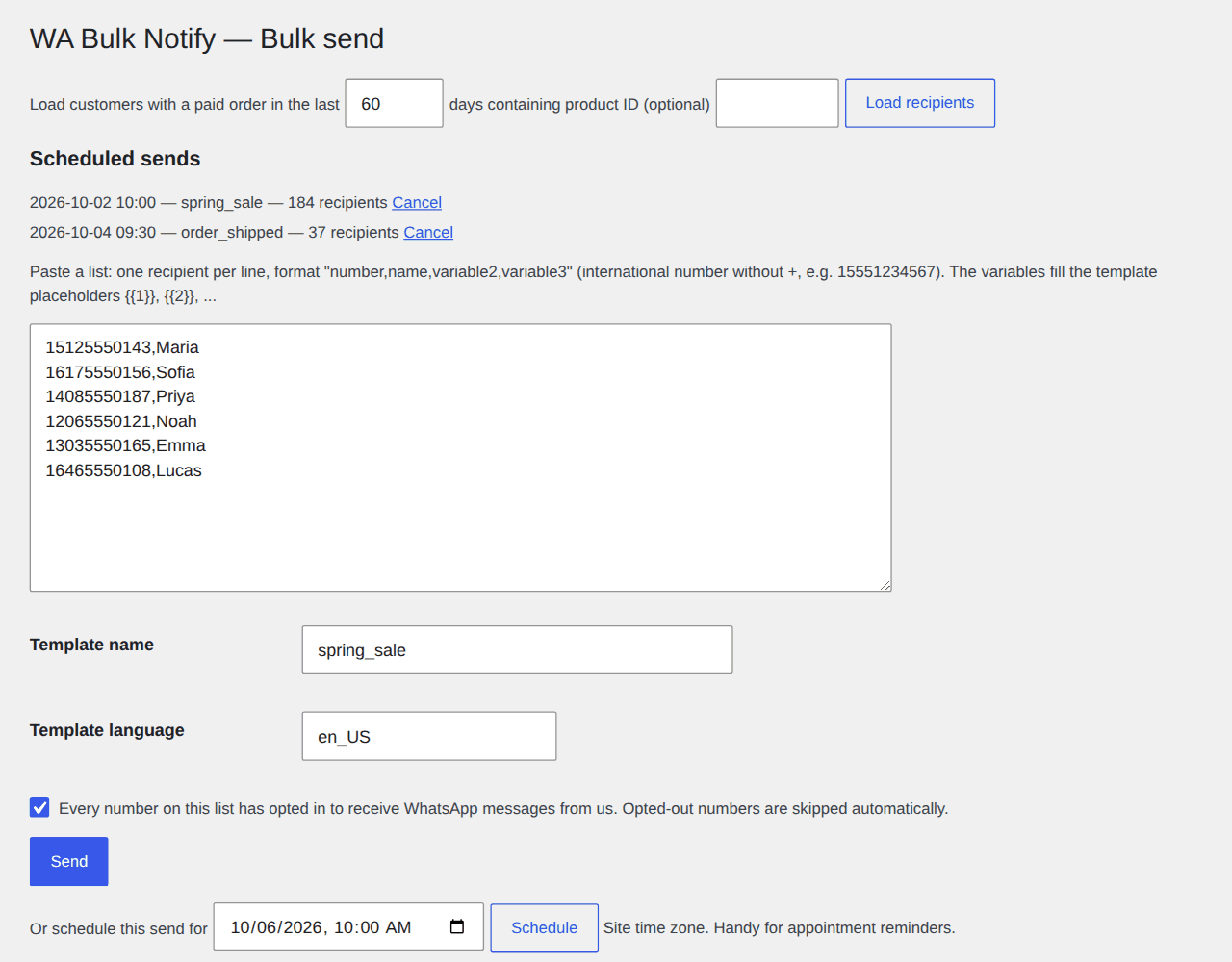
| Bulk send to a pasted list of numbers, no cap | ✓ | ✓ |
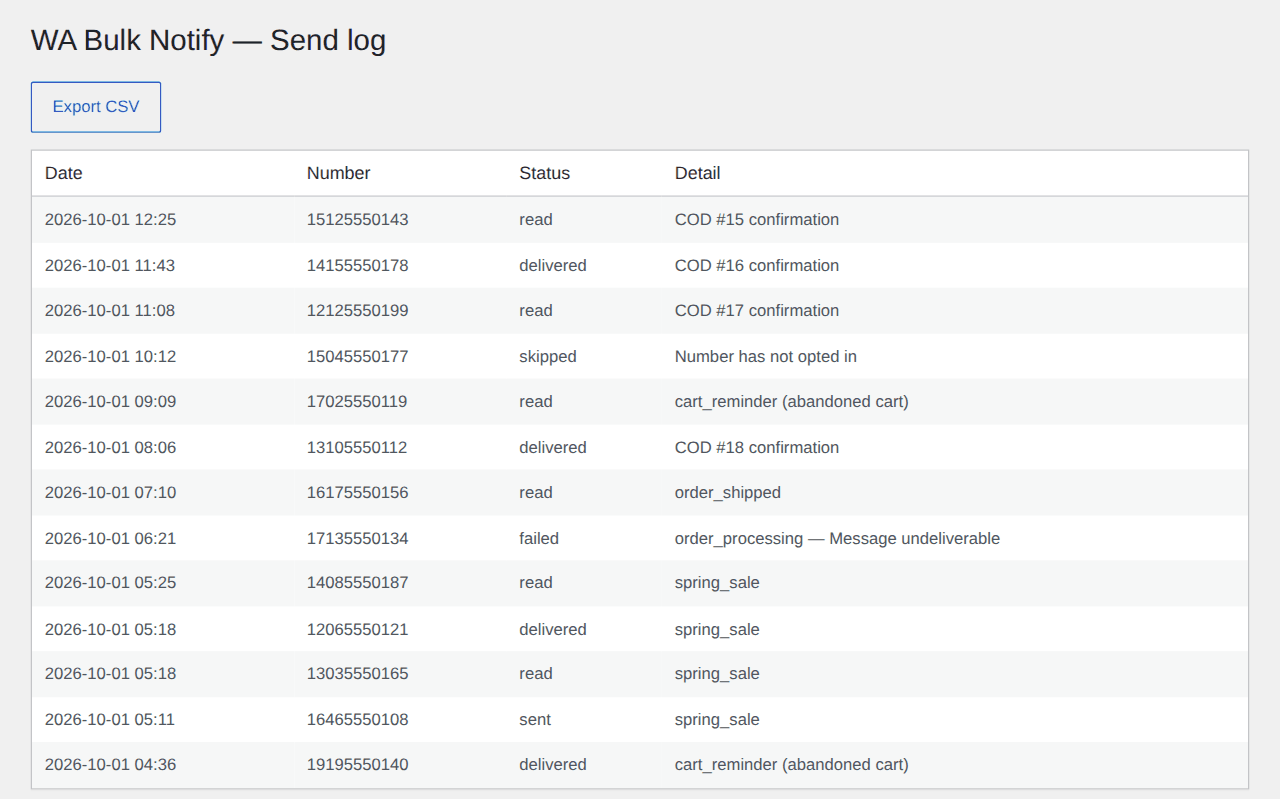
| Send log with delivered/read status, test message | ✓ | ✓ |
| Create and check Meta templates from WordPress | ✓ | ✓ |
| Checkout opt-in, opt-out list, STOP/START keywords | ✓ | ✓ |
| Cash on delivery confirmation (Confirm/Cancel buttons before you ship) | — | ✓ |
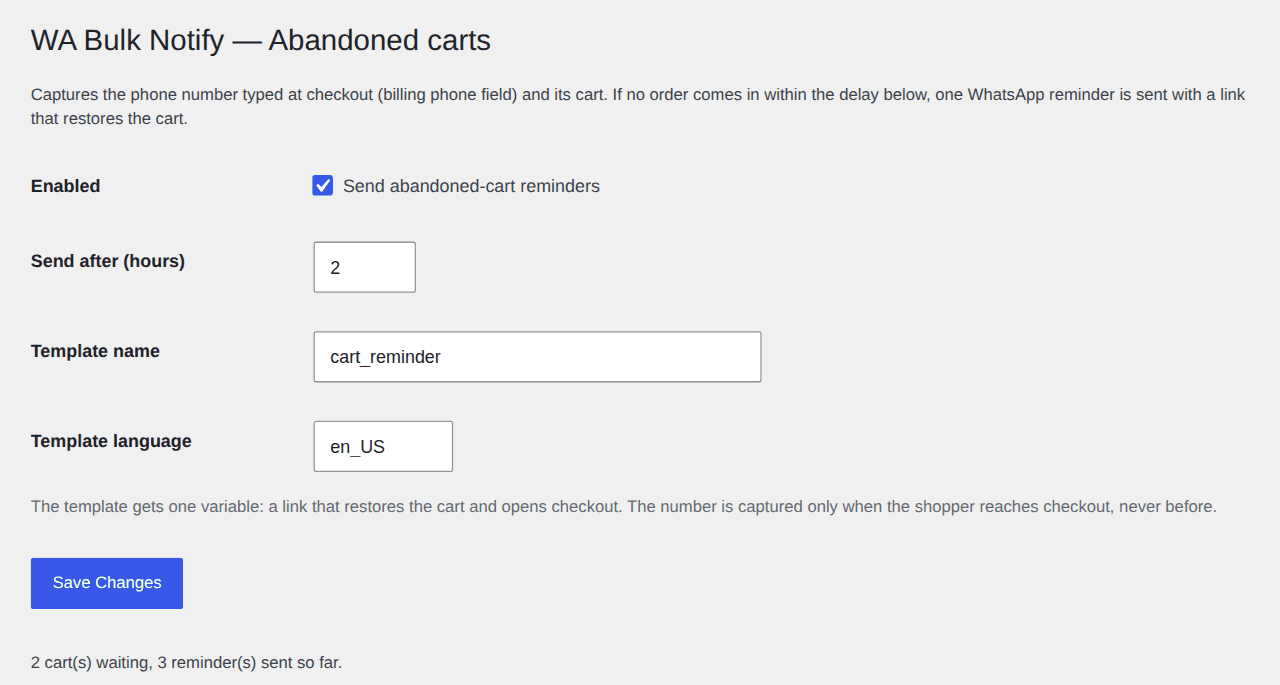
| Abandoned-cart reminders with a cart-restore link | — | ✓ |
| Recipients from WooCommerce customers (by date, by product) | — | ✓ |
| Scheduled bulk sends | — | ✓ |
| Review requests after delivery, with the product review link | — | ✓ |
| New-order alerts to the shop owner's WhatsApp | — | ✓ |
| Abandoned-cart coupon follow-up (single-use, 48h) | — | ✓ |
| CSV export of the log | — | ✓ |
Screenshots taken on a test WordPress + WooCommerce install running the full plugin, with demo orders and customers.
Hi Maria, thanks for your order #15 of $93.00, cash on delivery. Please confirm it so we can ship today.
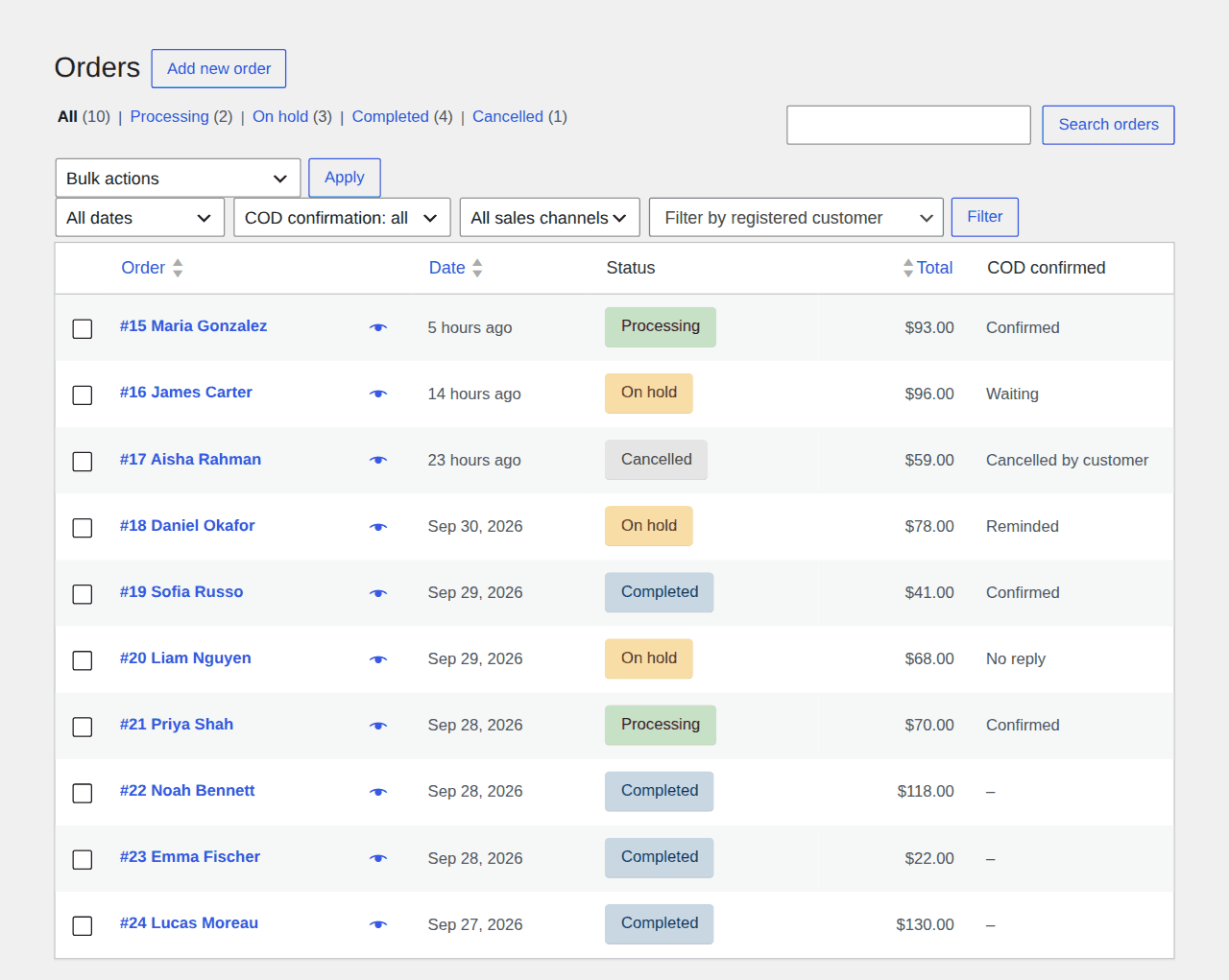
What your customer gets. A new COD order is put on hold and the customer receives your approved template with two buttons.
Tap Confirm and the order moves to Processing. Tap Cancel and it is cancelled with stock restored. No reply: one reminder after the hours you set, then a "No reply" flag so you call before shipping.
Does COD confirmation pay for itself? Every COD parcel refused at the door costs you shipping twice (out and back) plus packing — call it $4–8. Put in your store's numbers:
At 50 COD orders a month with 1 in 5 refused and $5 per return, that is $50 a month walking back to your warehouse; if confirming on WhatsApp stops a quarter of those returns, you save about $12.50 a month and the $39 / €39 is back in about three months.
The 25% is an assumption, change it. Savings are before Meta's own per-message rate. More detail, other currencies: COD RTO cost calculator · How COD confirmation works.
Not ready to set up the Cloud API? Start by hand. The free WhatsApp Order Button browser extension (Chrome and Edge) adds a green WhatsApp button to every order in your WooCommerce order list and order page. One click opens WhatsApp on the customer's number with a message already written for that order's status: payment reminder, "we're getting it ready", shipped, refunded. No account, no key, no server: it runs in your browser and you enable it only on your own store.
Install: unzip, open chrome://extensions (or edge://extensions), turn on Developer mode,
click "Load unpacked" and pick the folder. Store listings are coming.
Clicking a button per order is fine at 10 orders a day. When it is 50, Bulk Order Notifications for WA sends the same messages by itself on every status change, through the official WhatsApp Cloud API, plus COD confirmation and abandoned-cart reminders.
This plugin uses your own Meta WhatsApp Business Cloud API credentials — it does not create that account for you. Before you install it, make sure you (or someone on your team) has:
If you already send WhatsApp order notifications any other way, you likely have all three already. If you're starting from zero, Meta's own setup and template approval can take from a few hours to a few days — do that first, then come back and install. The step-by-step setup guide walks through all of it: Phone Number ID, a permanent token, template approval, webhook and what Meta charges per message.
wa-bulk-notify folder to /wp-content/plugins/.